Prerequisite:
** 7zip installed on your PC
**Phone should be rooted
**Phone Drivers(Click to download Drivers for Mi-535) should be installed on PC
Part1 (Leave this if you have already done this part)
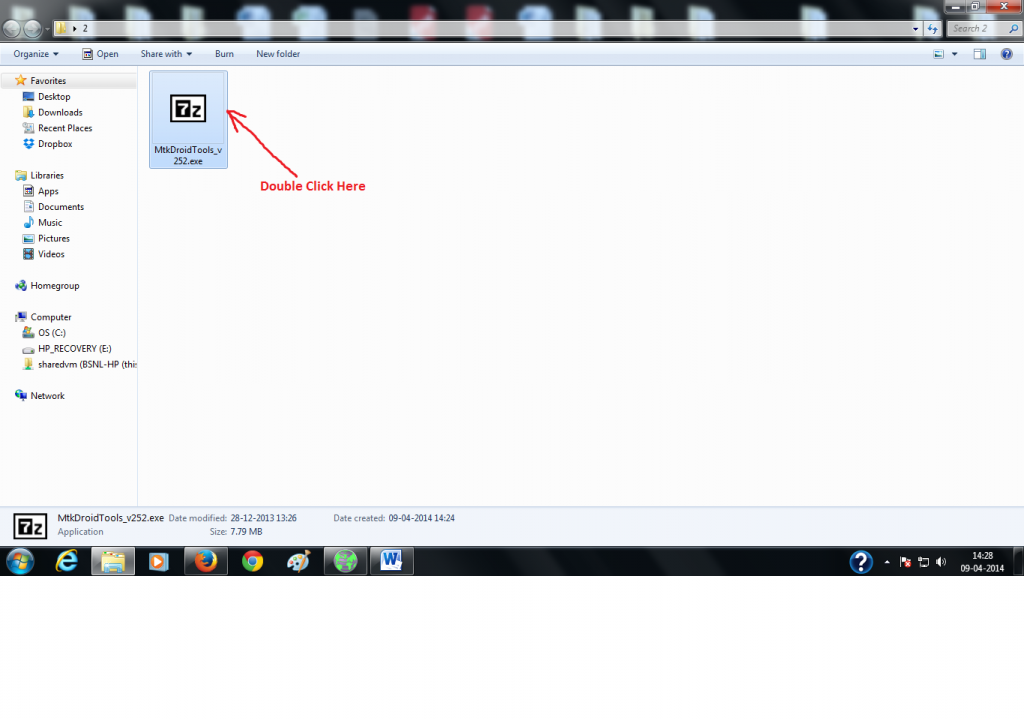

Part2
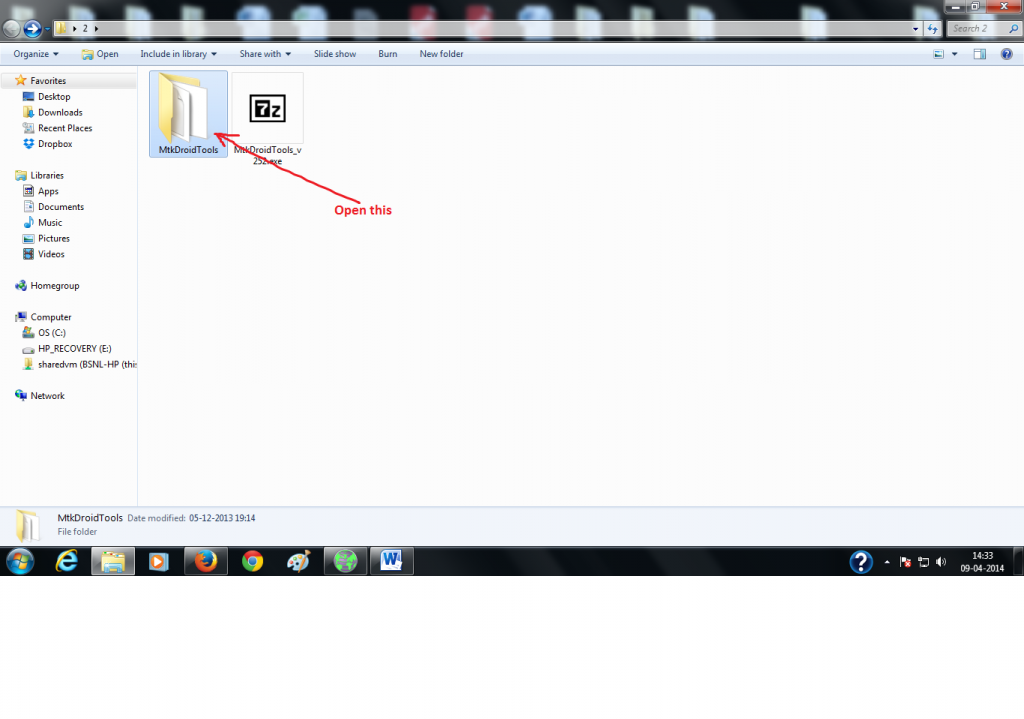
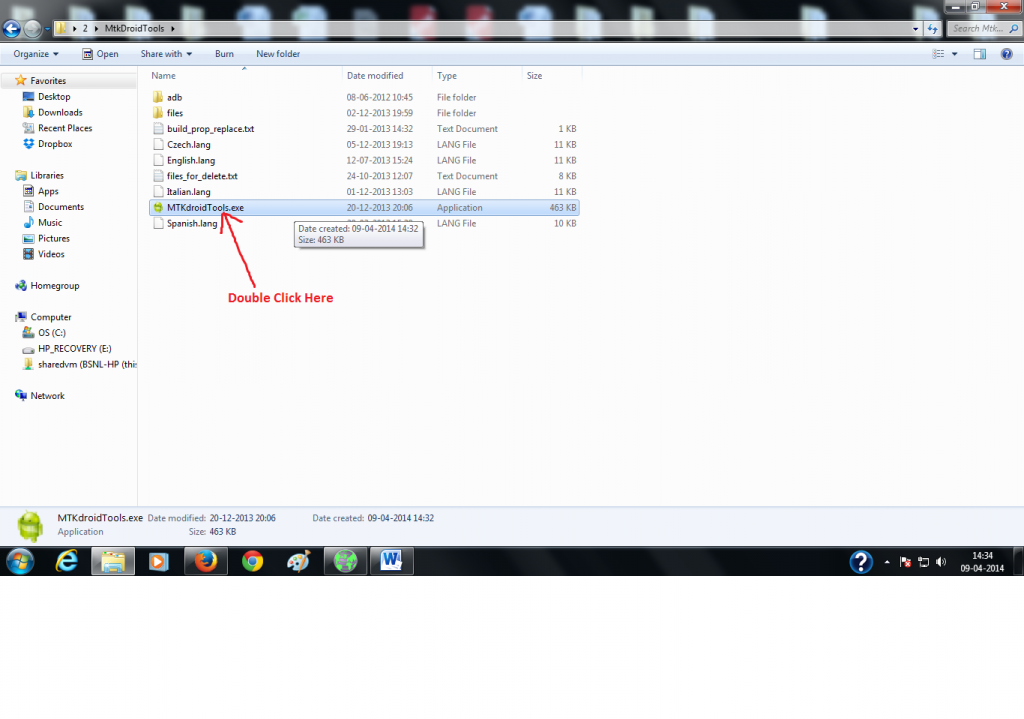
4) Double Click on MTKdroidTools.exe


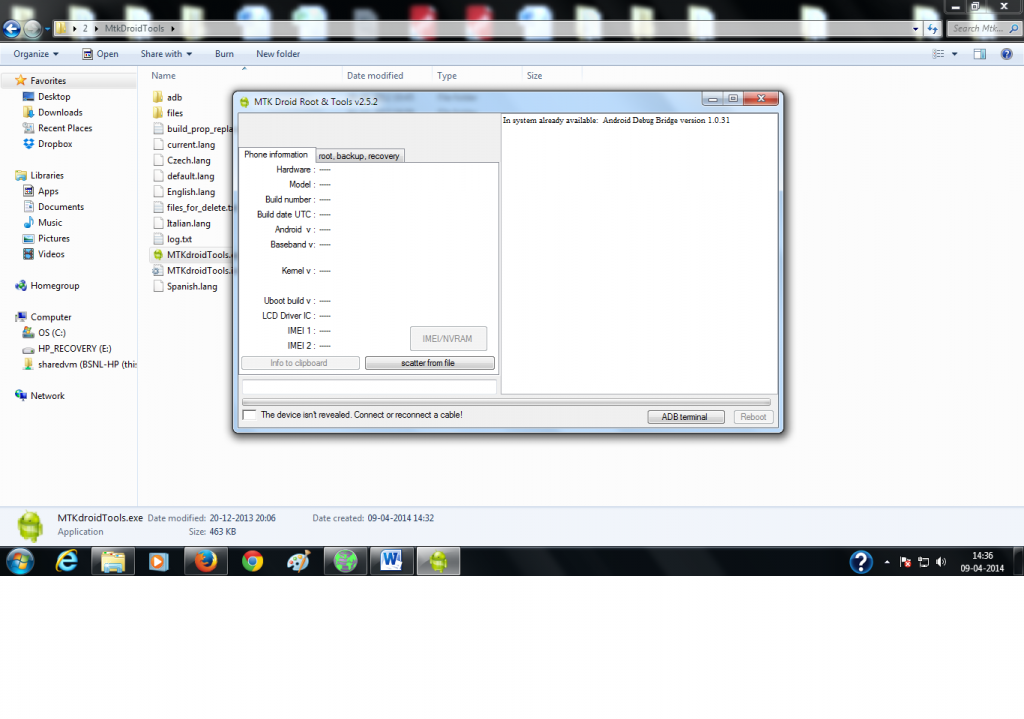
5) Go to Settings of your Mobile -> open Developer options(If developer option not available then open About Phone and click Build number 7 times) -> tick on the box in front of USB debugging.


6) Connect your phone to PC
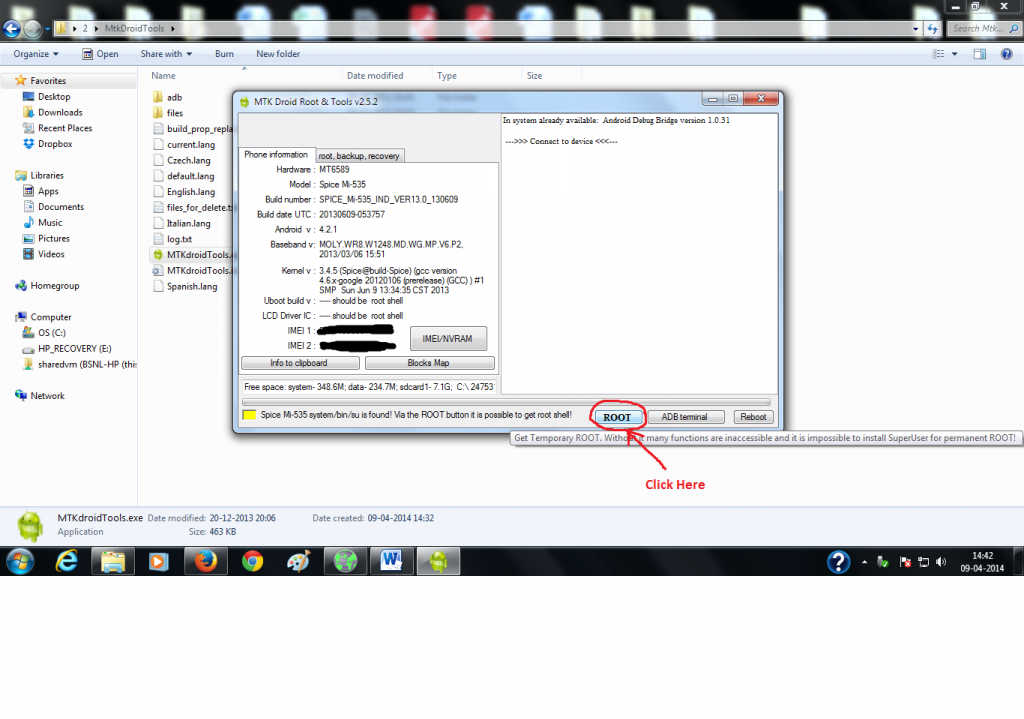
7) Click on ROOT

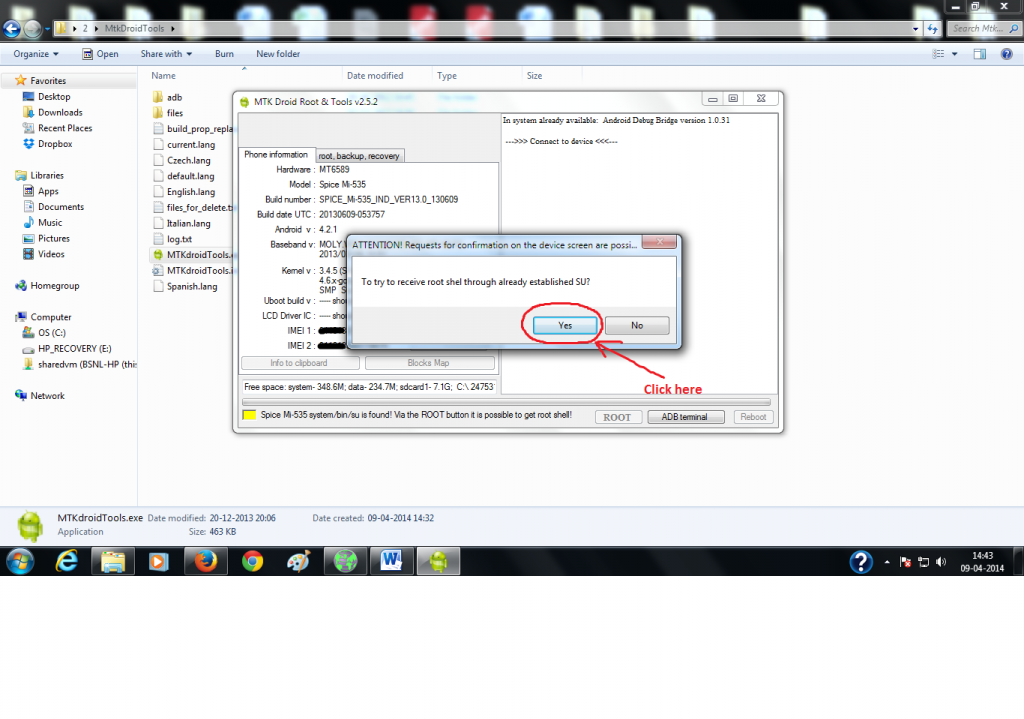
8) Click on Yes



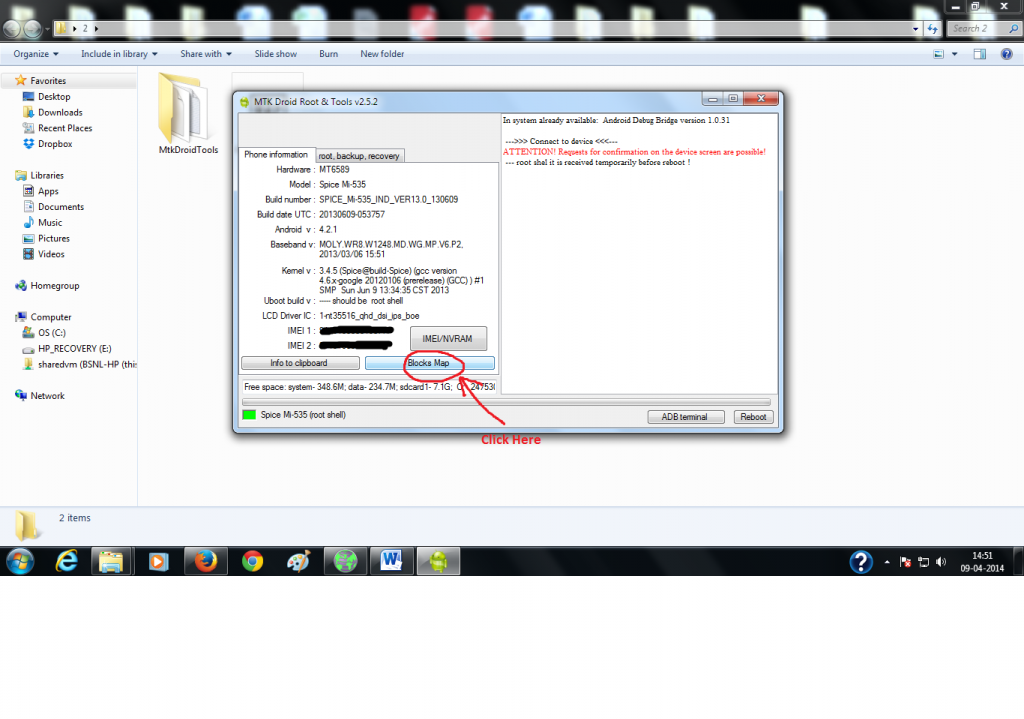
10) Click on Blocks Map

11) Click on create scatter file

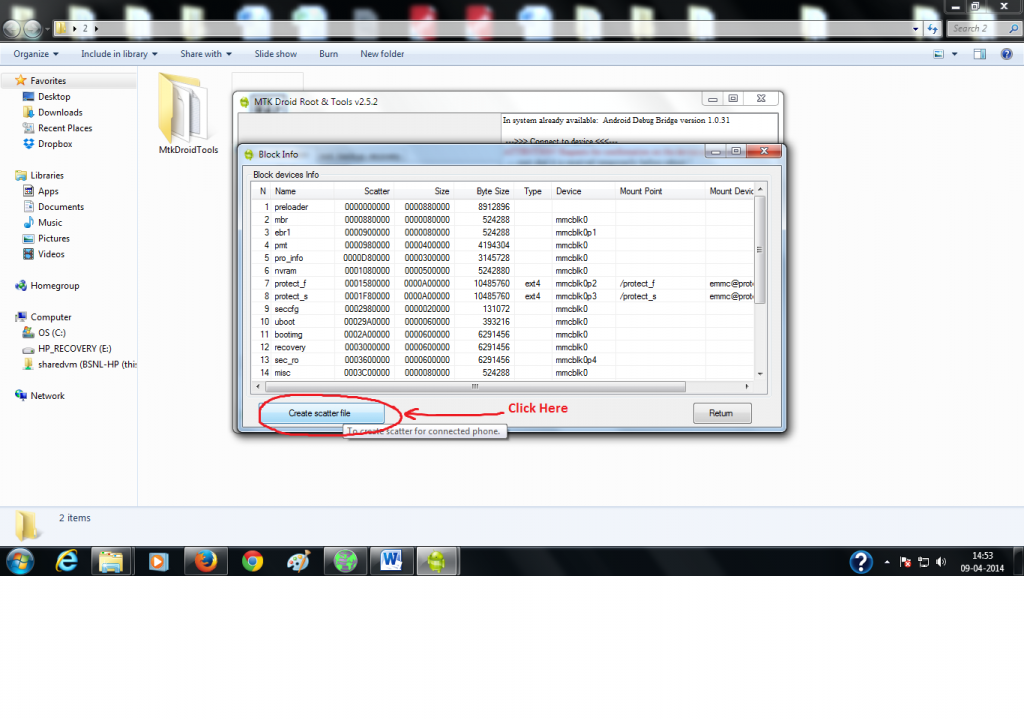
12) Select the folder where you want to save scatter file and then click on Save.


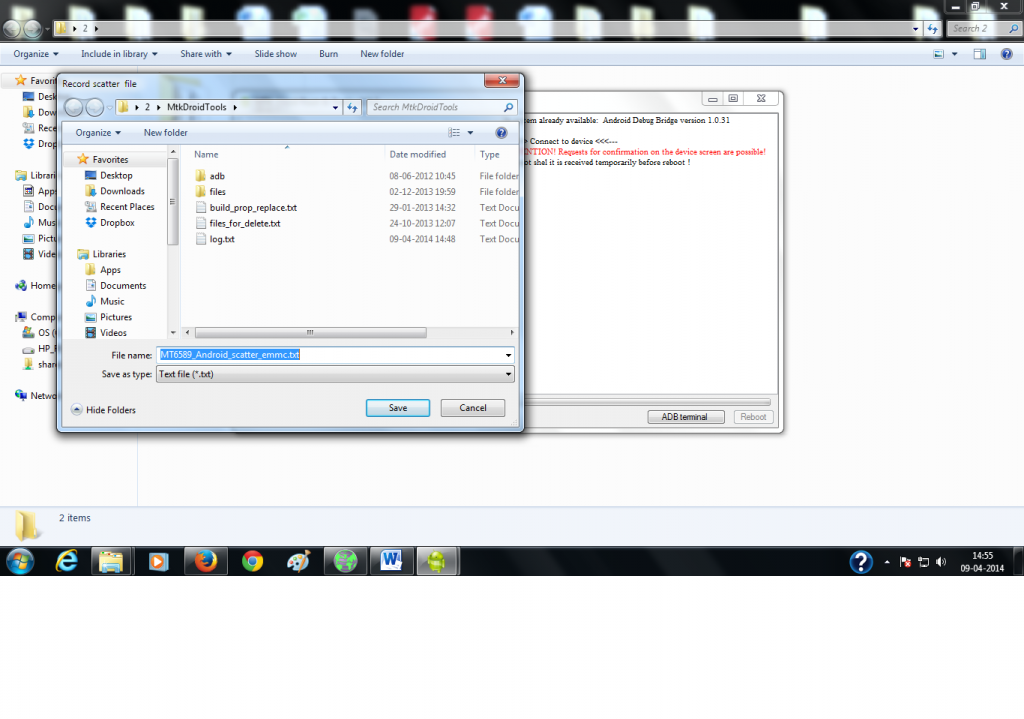
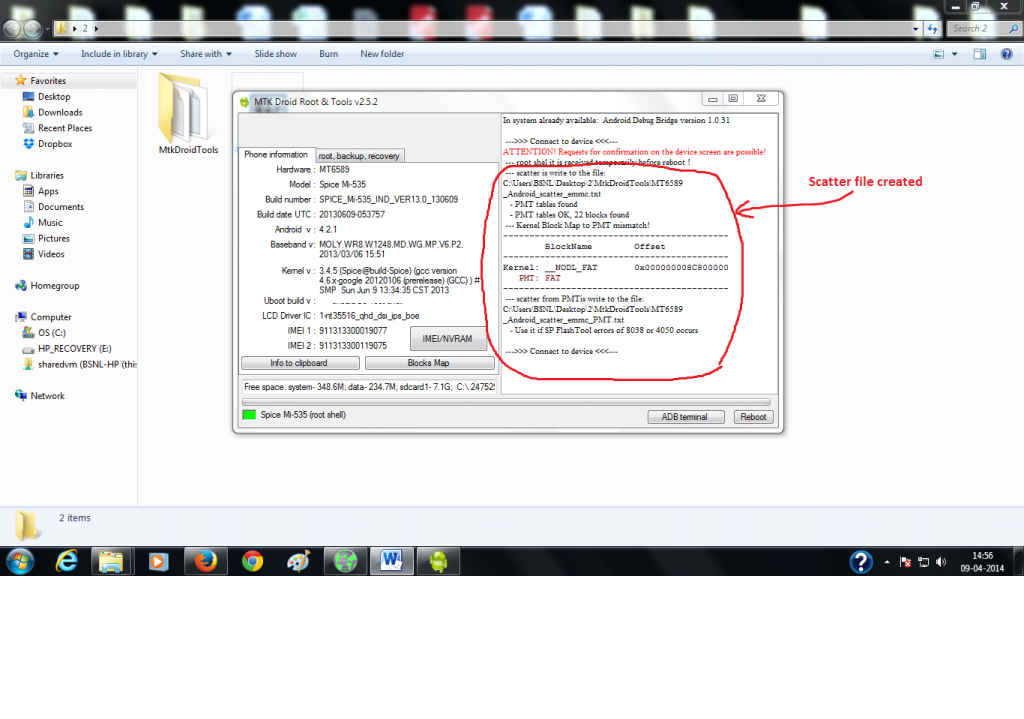
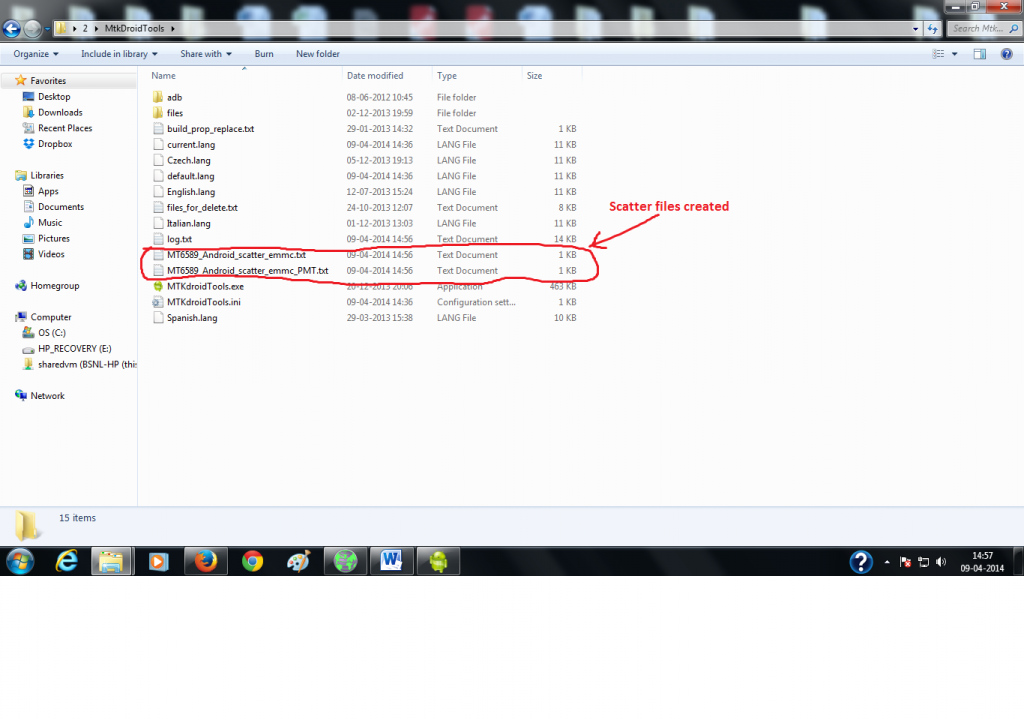
Congratulations, your scatter file is ready now.



ليست هناك تعليقات:
إرسال تعليق